AIMS, redesigned.
An unofficial, third-party browser extension that gives CityU's AIMS a clean, modern look and shows it in English, Traditional or Simplified Chinese, or two languages at once. It only changes what you see in your own browser.

Unofficial third-party extension. It is not made by, affiliated with or endorsed by City University of Hong Kong.
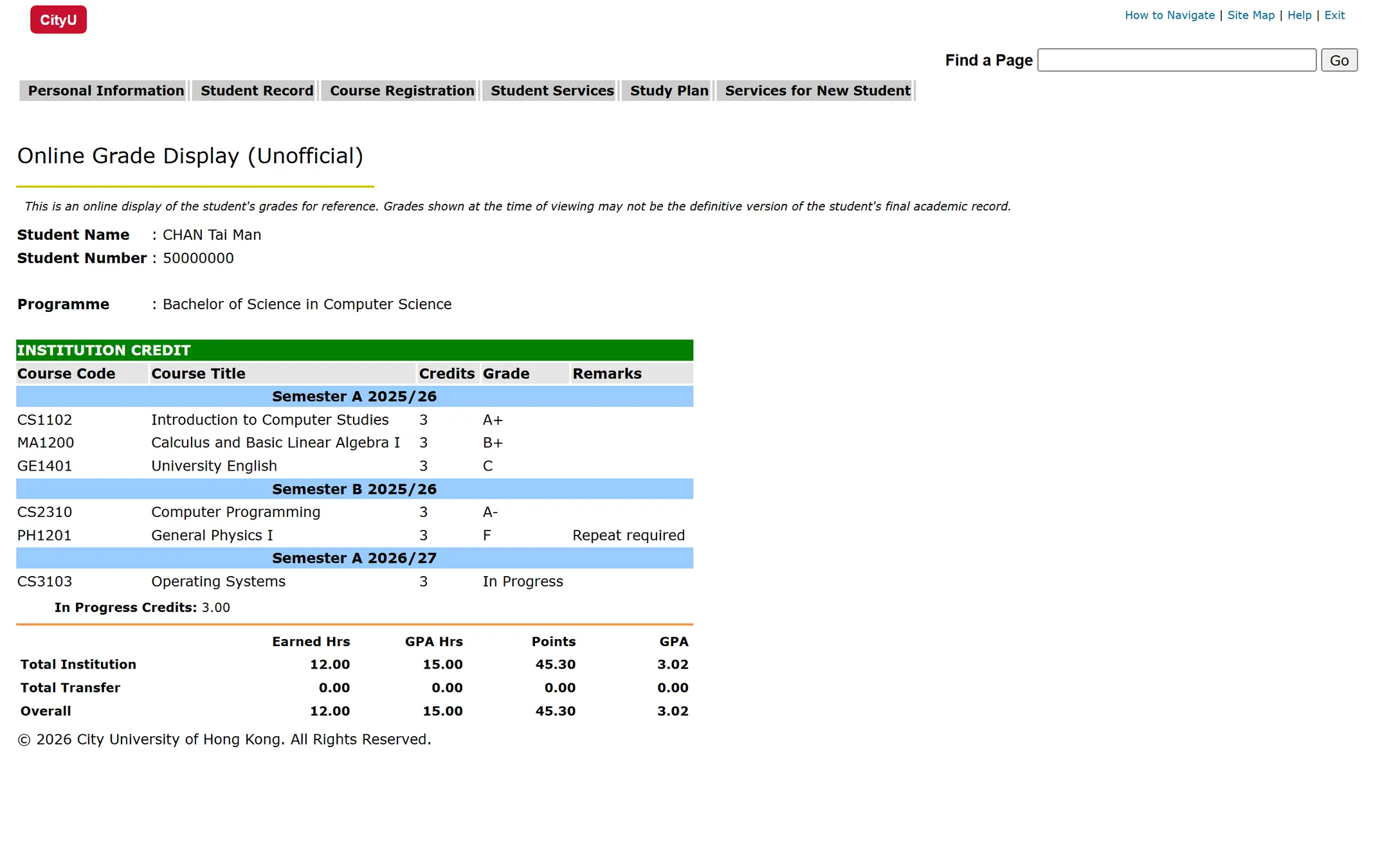
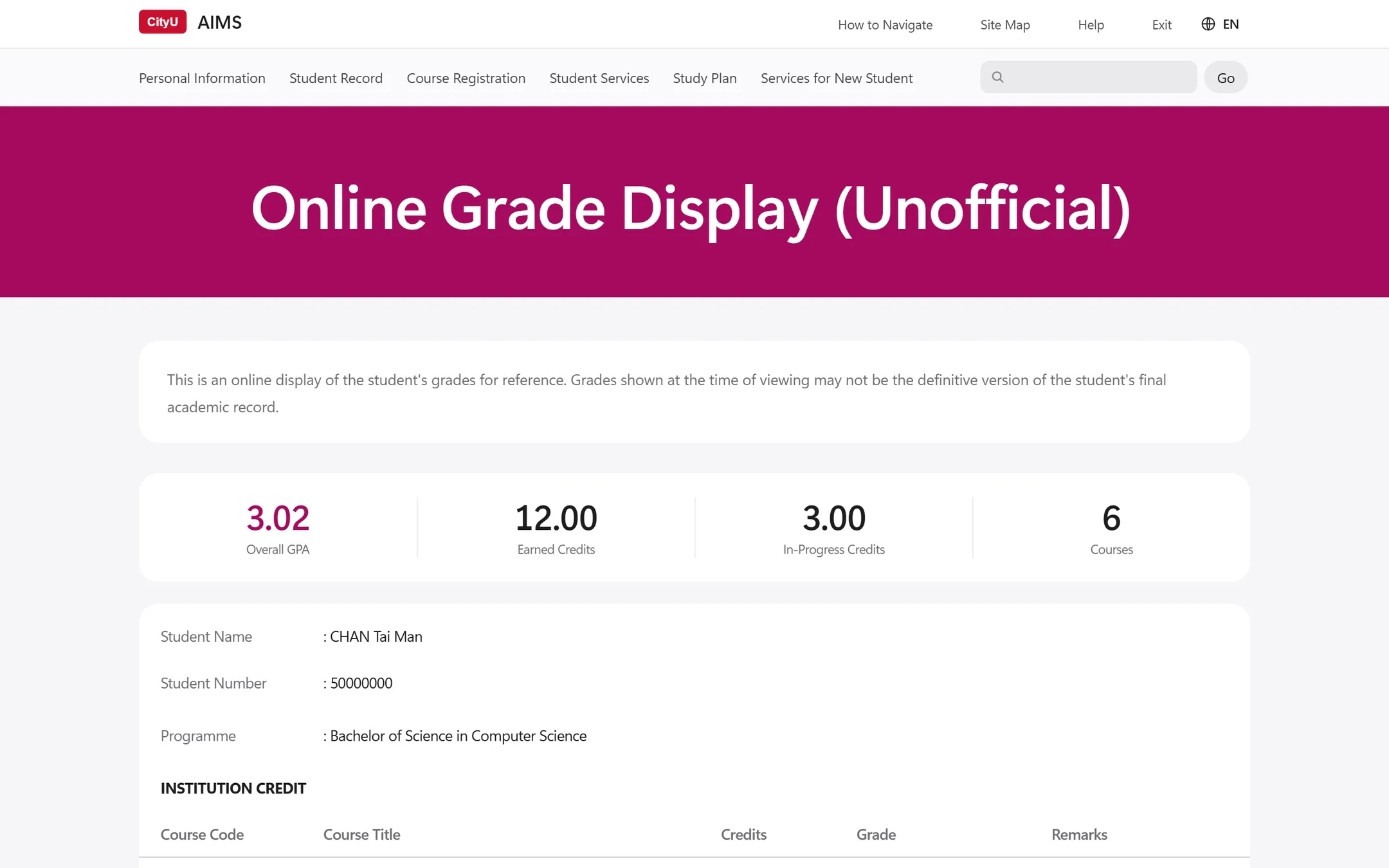
The Online Grade Display page with sample data. Use the switch to compare it with and without AIMS++. The new look is a third-party design by AIMS++, not an official CityU design.
Every page, one design
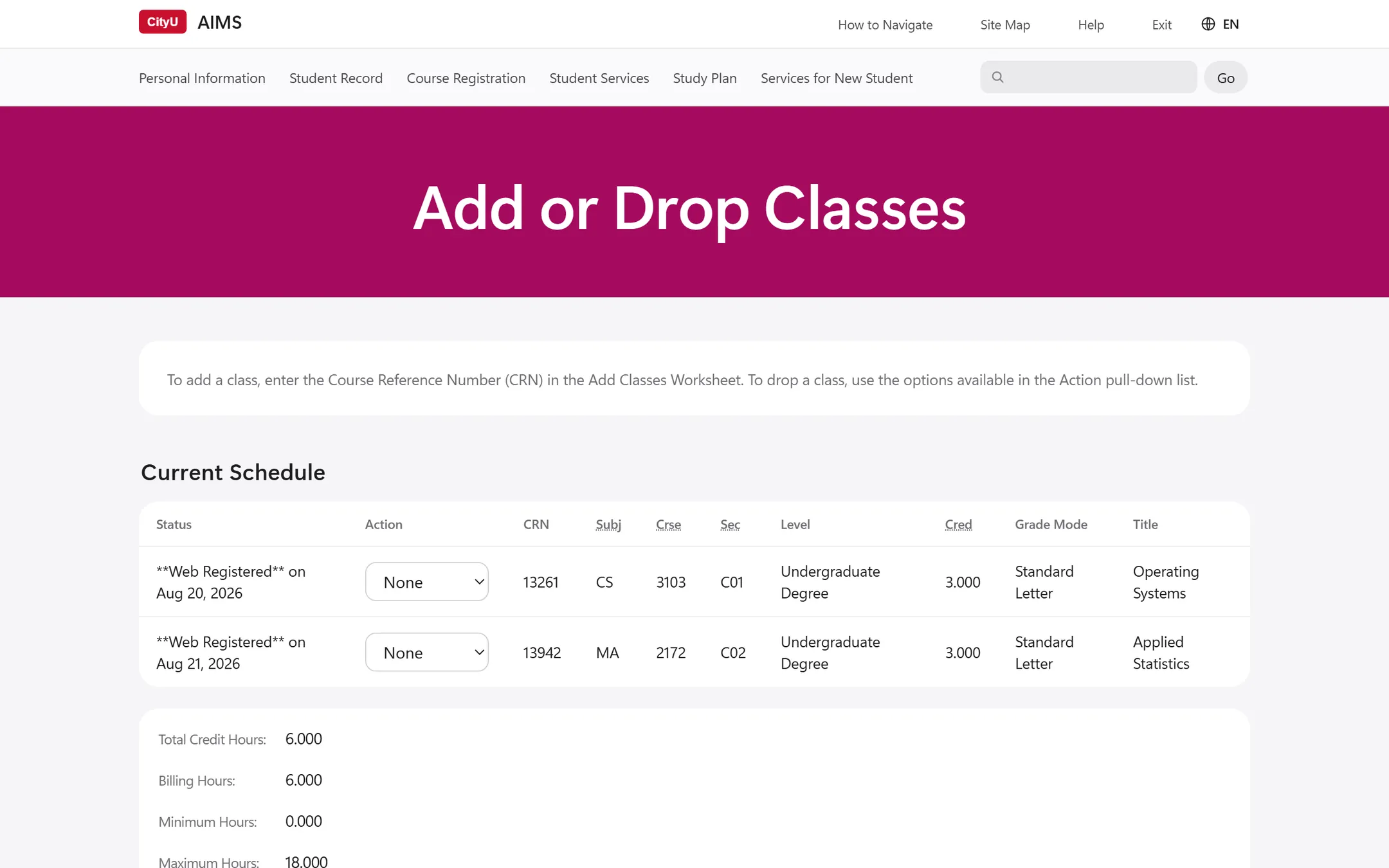
AIMS++ recognises the layouts AIMS uses across the site and restyles them consistently, from menus to the weekly schedule.
- A clear heading on every page
- A CityU magenta title band, with section tabs that stay at the top as you scroll.
- Menus you can scan
- Menu pages become a grouped list with an icon for each item.
- Grades at a glance
- GPA, earned credits and course count sit at the top, and each grade gets its own colour.
- A colour-coded timetable
- Each course has its own colour in the weekly schedule, and today is highlighted.
- Tables that line up
- Information cards, tables and notices share one width, and related cards merge into one.
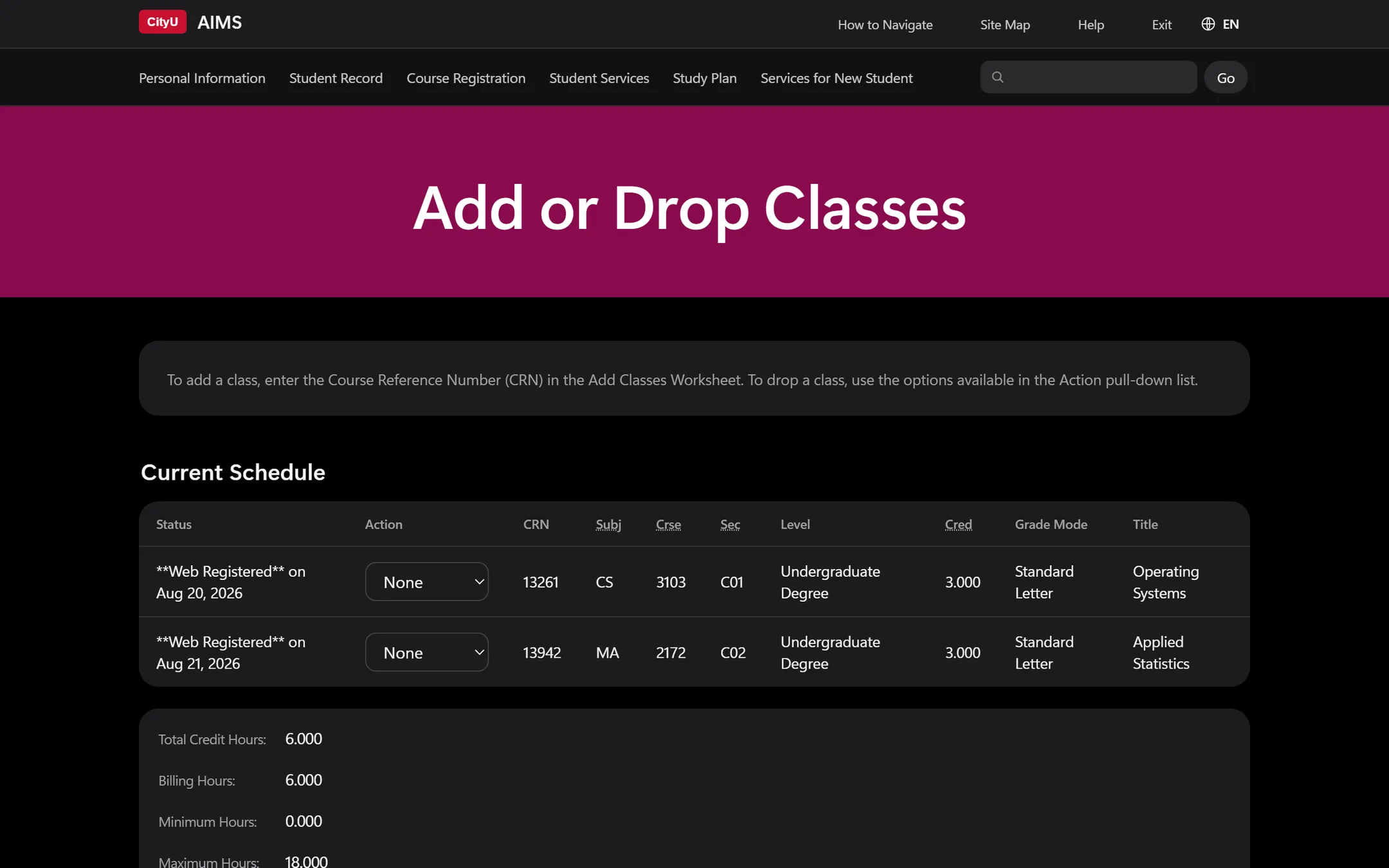
- Light and dark
- Follows your system appearance, or choose one from the toolbar button.
Read AIMS in your language
Switch between English, 繁體中文 and 简体中文 from the top right of any AIMS page. Turn on bilingual mode and each line shows its translation right underneath, so you can match Chinese terms to the English ones your department uses.
Translations come from a dictionary of about 1,300 AIMS phrases built into the extension, so nothing is sent to a translation service. Names, course codes, dates and your own records stay exactly as AIMS shows them.

An unofficial restyle by a third party
AIMS++ is an independent open-source project. It was not made by City University of Hong Kong, and the University has not reviewed or endorsed it.
AIMS++ is provided as is, without warranty of any kind, under the MIT License.
- Not an official CityU product
- No part of CityU made, maintains or supports AIMS++. The names CityU, City University of Hong Kong and AIMS appear here only to say which system the extension works with.
- The new look is not CityU's design
- The layout, colours and icons you see with AIMS++ are a third-party restyle. The official AIMS is the original page, which comes back as soon as you switch AIMS++ off.
- Translations are for reference only
- The Chinese text comes from AIMS++'s own dictionary and is not an official translation. For regulations, declarations, deadlines and anything you submit, the original English text on AIMS prevails.
- Where to get help
- Contact CityU as usual about your records, registration or payments. Report problems with the restyle or a translation on the AIMS++ issue tracker. If a page looks wrong, switch AIMS++ off and check the original first.
Changes stay in your browser
AIMS++ restyles each page after it loads. AIMS receives exactly the same requests from you as it would without the extension.
Sends nothing
No network requests, no analytics, no outside fonts or scripts.
Never acts for you
It doesn't click links, open pages or submit forms.
Leaves forms alone
Inputs, buttons and drop-down choices keep their original text, so what you submit doesn't change.
Translates offline
The dictionary ships with the extension, and page text never leaves your computer.
Runs only on AIMS
It works only on banweb.cityu.edu.hk and asks for a single permission, storage, to remember your settings.
Easy to switch off
Turn it off from the toolbar and the original page is back at once. Printing always uses AIMS's own layout.
Install in a few minutes
AIMS++ isn't in the Edge or Chrome extension stores yet, so you add it from a folder. You only need to do this once.
-
Download and unzip
Download aims-plus-plus.zip and unzip it. Keep the aims-plus-plus folder somewhere you won't delete it, such as Documents, because the browser runs AIMS++ from there.
Download ZIP -
Open the extensions page
Type this address into the address bar and press Enter:
edge://extensions -
Turn on Developer mode
The switch is in the left sidebar. If the window is narrow, open the menu at the top left first.
-
Load AIMS++
Select Load unpacked and choose the aims-plus-plus folder, the one that contains manifest.json.
-
Open AIMS
Sign in to AIMS as usual and the new design appears. To reach the settings quickly, pin AIMS++ from the Extensions button (the puzzle piece) in the toolbar.
Updating to a new version
Download the new ZIP and replace the files in your aims-plus-plus folder. Then select Reload on the AIMS++ card on the extensions page. The toolbar icon shows NEW until you open it.
Prefer Git? Clone the repository and load that folder instead:
git clone https://github.com/LENSFORGET/aims-plus-plus.gitSettings in two places

The toolbar button
Turn the new design on or off, choose the language and bilingual mode, and pick light, dark or automatic appearance. It also shows the version and what changed.
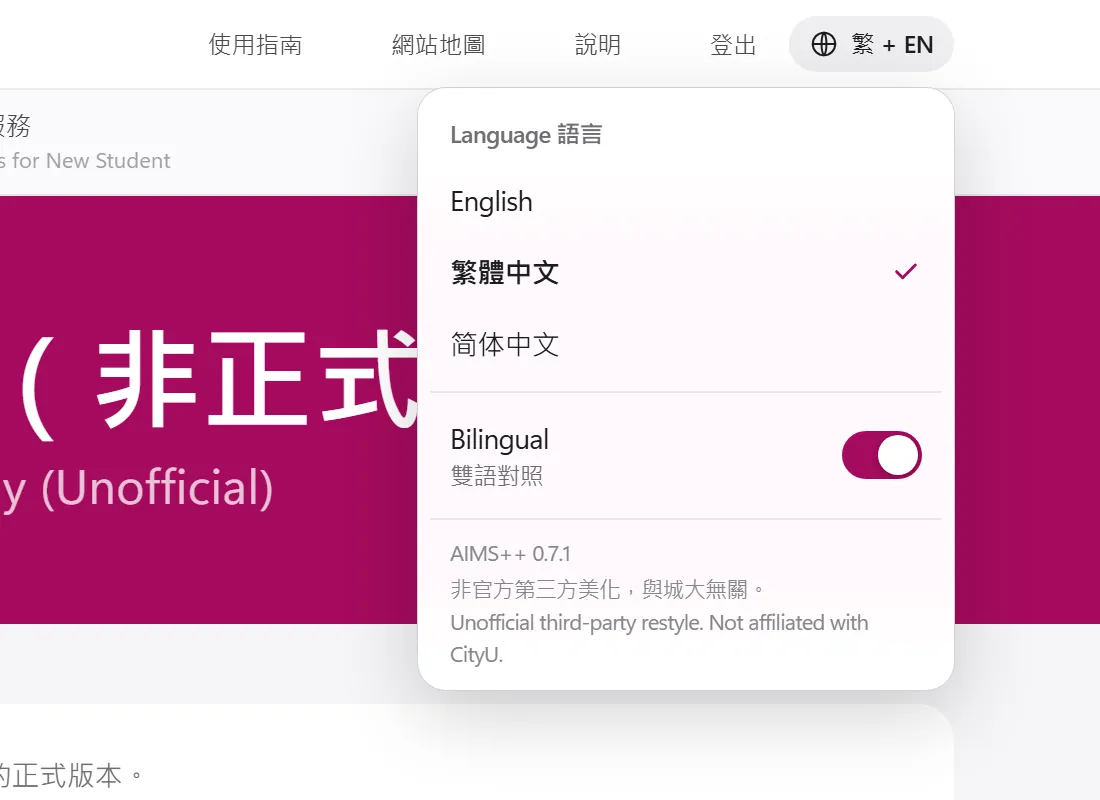
On every AIMS page
The language button at the top right switches language and bilingual mode without leaving the page.
Questions
Is AIMS++ made by CityU?
No. AIMS++ is an unofficial third-party project. City University of Hong Kong did not make it and does not maintain or endorse it. See the disclaimer for details.
Could it get my AIMS account suspended?
AIMS++ doesn't send anything to AIMS or act on your behalf, so AIMS sees the same activity as when you use it without the extension. It only changes how pages look in your browser.
Why does it need Developer mode?
AIMS++ isn't in the Edge or Chrome stores, so the browser loads it from a folder, which needs Developer mode. If the browser asks whether to turn off developer-mode extensions when it starts, close the message without turning them off.
Does it work in Safari, Firefox or on my phone?
Not at the moment. It runs in Edge and Chrome on Windows and macOS. Other Chromium-based browsers, such as Brave or Arc, should work but haven't been tested.
Some text is still in English.
Names, course titles, course codes, dates and drop-down choices are left as AIMS shows them, on purpose. If a heading, label or sentence isn't translated, open an issue on GitHub with the page name and the text.
How do I remove it?
On the extensions page, select Remove on the AIMS++ card, then delete the aims-plus-plus folder.